How trading works
Trade Pokémon HOME medals with other trainers, step by step. MedalDex finds partners, keeps track of each step and updates both stamp books at the end.
- 1
Make your lists
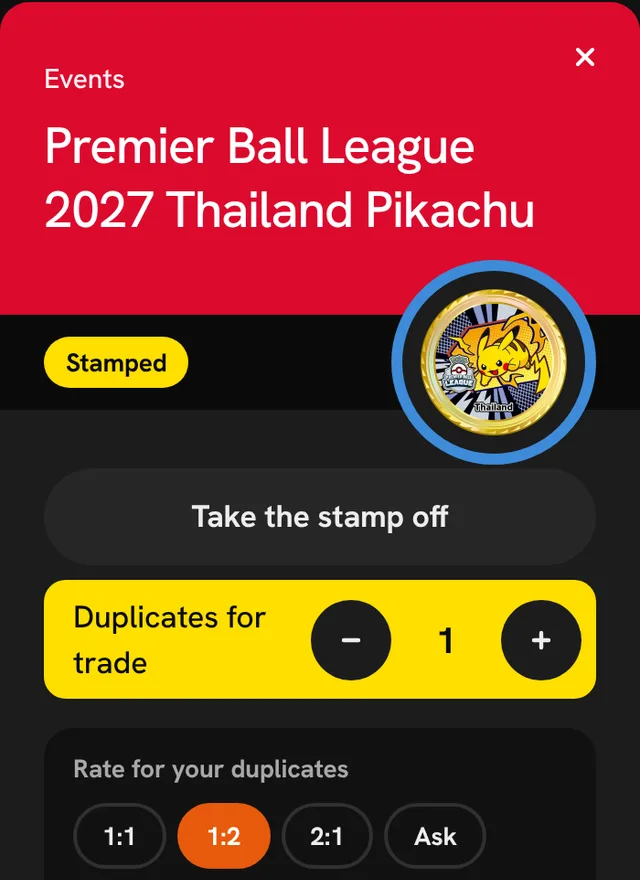
Mark the medals you're looking for (求) and set your spare duplicates (譲) with a rate: 1:1, 1:2, 2:1 or Ask. MedalDex suggests a rate from each medal's rarity.
- 2
Find a partner
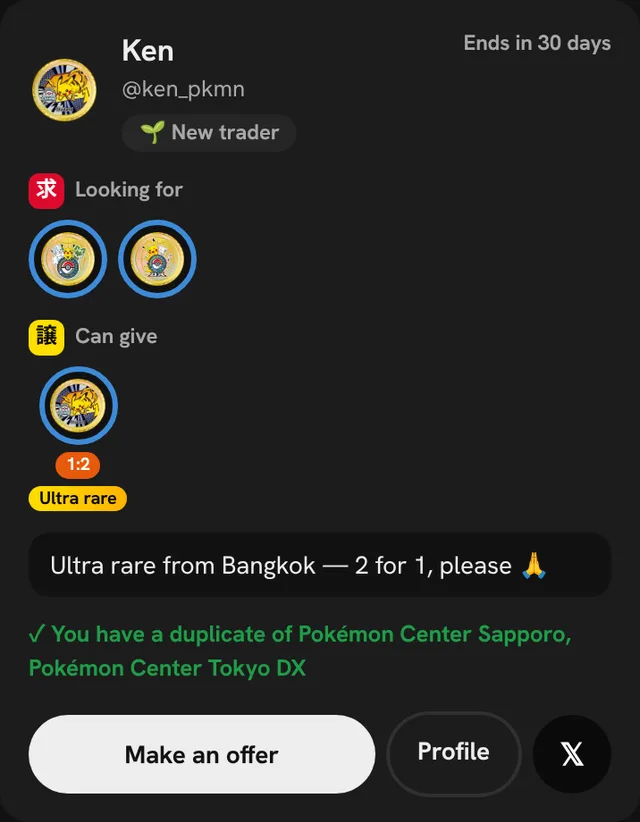
Matches find trainers who have what you want and want what you have. Or post an ad, “looking for this, can give that”, and share it on X.
- 3
Offer and answer
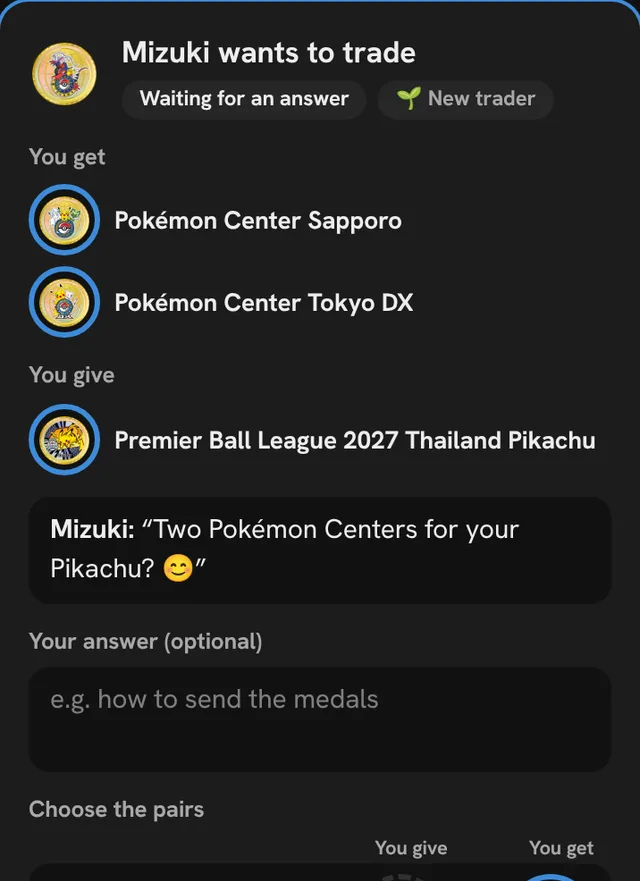
Pick what you ask for and what you give, up to 10 medals per side, and add a note. They can accept, decline or send a counter-offer.
- 4
Swap in the trade room
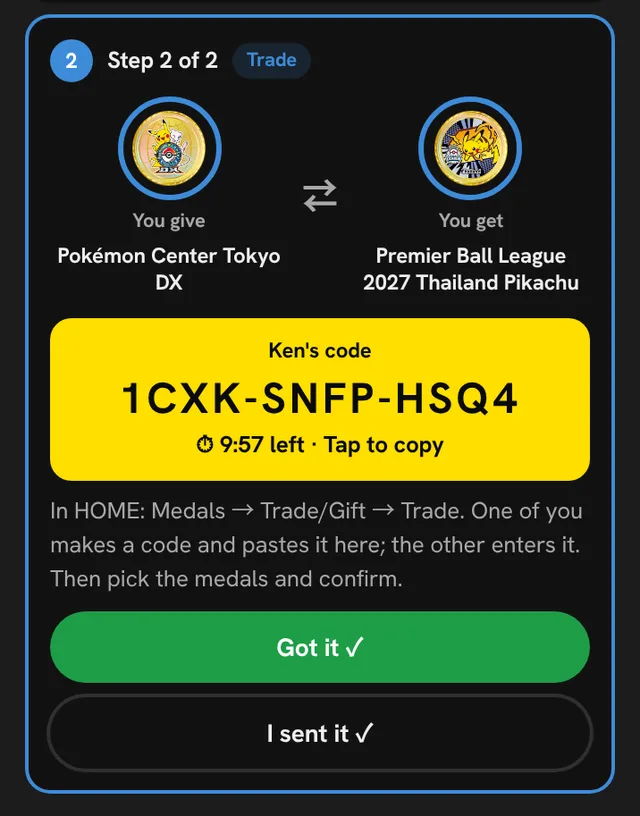
HOME trades 1 for 1, so extras go as gifts, and gifts go first. Paste the HOME code for each step and tap “Got it”. When every step is done it's 成立 and both stamp books update.
- 5
Rate each other
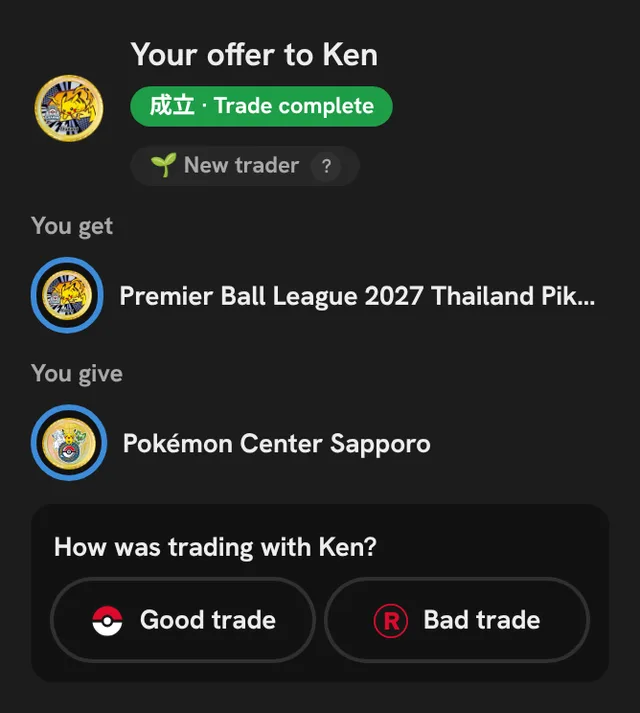
When the trade is complete, open it in Offers › History and tap “Good trade” (Poké Ball) or “Bad trade” (R). Ratings show next to each trainer's name, so everyone can see who trades well. You can change yours for 30 days, and tapping the “?” next to anyone's ratings explains them.
Questions
Why do gifts go first?
In HOME you can only trade 1 for 1, so in a 2-for-1 one medal travels as a gift. Whoever gives more medals sends the gift first. That way the person giving the rare medal never has to wait for a gift that might not come.
What if the other person stops replying?
If they do nothing for 48 hours, you can close the room as “No response”. Whatever was already swapped stays, and only you can rate them. If you sent a medal and they don't confirm it in 48 hours, you can mark it as delivered.
Can I cancel a trade?
Yes. You can cancel an offer you sent while it's pending, and either of you can cancel an accepted trade while no medal has been sent yet. A cancelled trade can't be rated.
What does “Ultra rare” mean?
It's a suggestion. MedalDex compares how many trainers want a medal with how many have it spare, and medals given out for only 1 or 2 days count as ultra rare. You always choose your own rate.
How many trades can I do per day?
HOME allows 10 trades, 10 gifts sent and 10 gifts received per day, and the limits reset at 9:00 Japan time. The trade room shows how many you have left today.
Why can't I trade some medals?
Medals that aren't out yet can't be traded because nobody has duplicates yet; you can still add them to your wishlist. Champion medals can't be traded in HOME either.
How do ratings work?
After a completed trade, each of you rates the other with a Poké Ball (good) or an R (bad). Ratings show next to each trainer's name, so you can see who trades well.
Is it safe?
Gifts go first, steps go one at a time, and a duplicate promised in one trade can't be promised again. You can block or report anyone. MedalDex never asks for your HOME account or password.
Ready to trade?
Open Trading →